Maximizing Desk Space: Our Take on the WALI Dual Monitor Stand

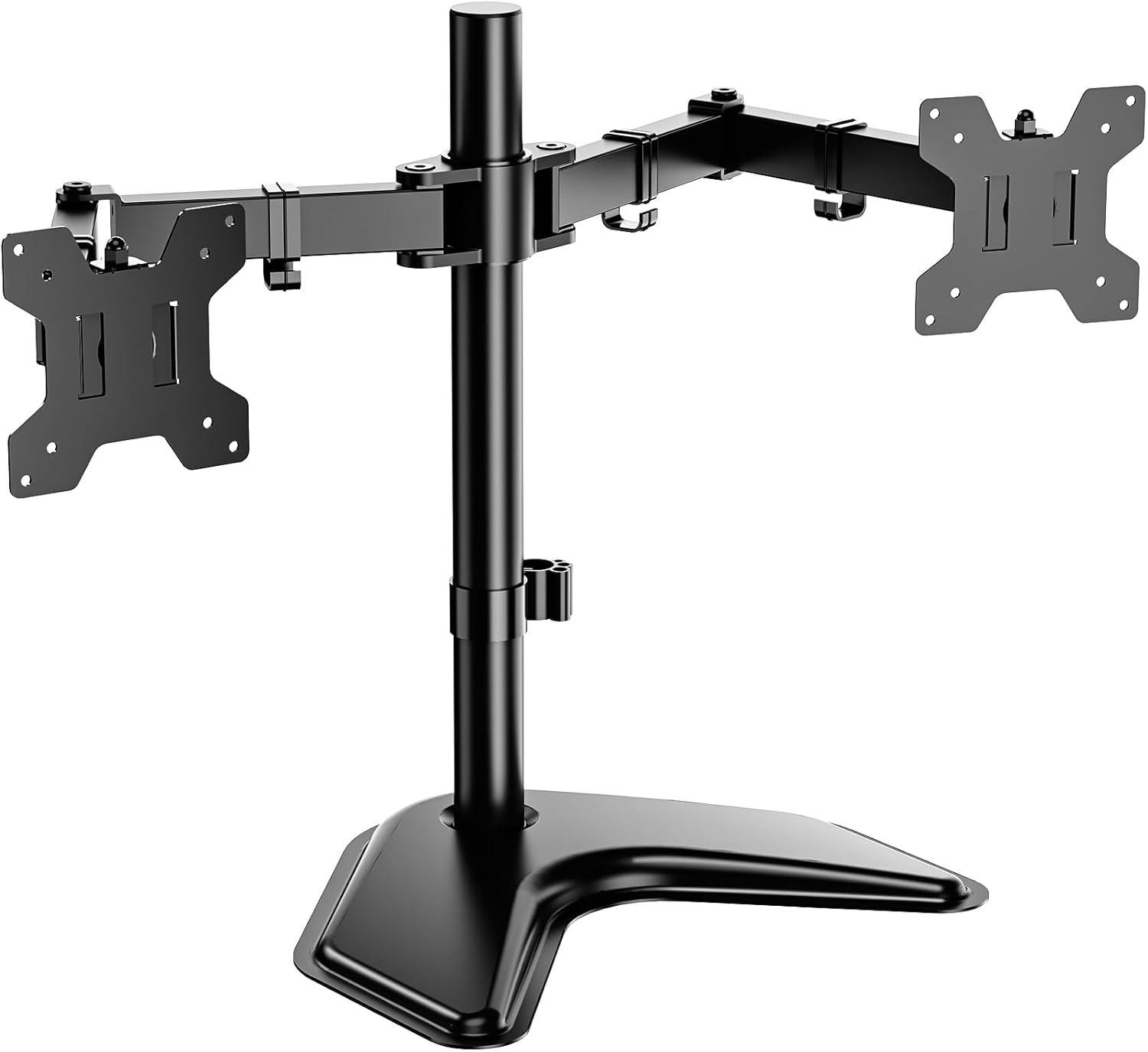
In today’s world, where multi-tasking and productivity are king, having an efficient and ergonomic workspace can make all the difference. Recently, we had the chance to put the WALI Dual Monitor Stand for Desk thru its paces-designed to hold two monitors of up to 27 inches and weighing up to 22 pounds each. Promising a sturdy, free-standing design with full-motion adjustability and a sleek, modern look, this monitor stand aims to transform cluttered desks into streamlined command centers.
Over the past few weeks, we’ve tested its assembly ease, stability, and the adaptability of its movement to see how well it lives up to these claims. Whether you’re working from home, managing multiple projects, or just craving a cleaner setup, join us as we unpack the practical pros and cons of this affordable dual monitor mount-and share how it might just be the upgrade your workspace needs.
Overview of the WALI Dual monitor Stand and Our Initial Impressions
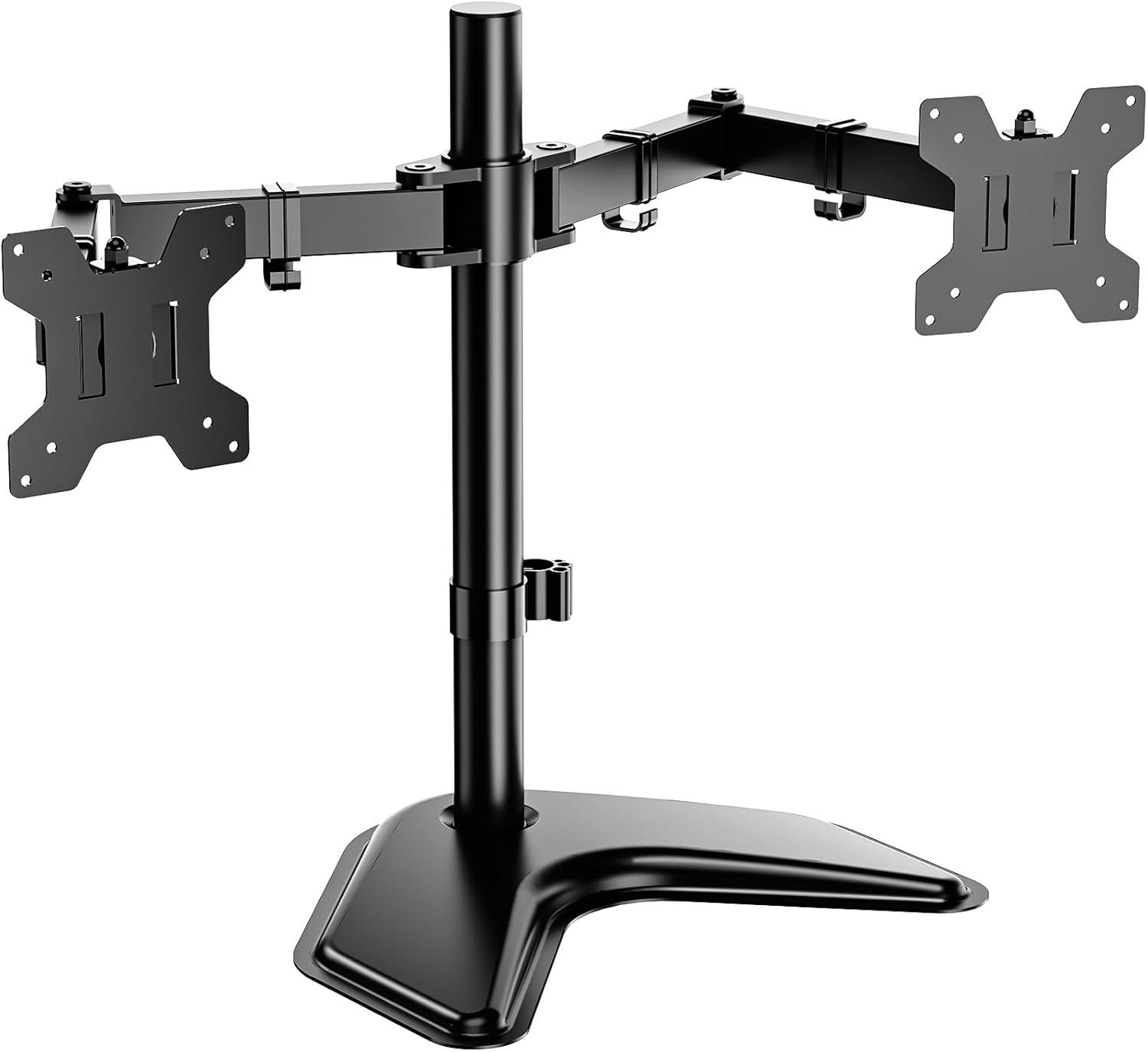
We found this dual monitor stand to be a smart,no-fuss solution for anyone looking to clear up precious desk space while supporting two monitors comfortably. The heavy-duty base offers solid stability, and the all-metal construction lends confidence in its build quality. Its design fits most flat screens up to 27 inches and supports up to 22 lbs per arm, making it a versatile pick for many setups. Assembly was straightforward, especially with the included hardware and simple instructions, although having an extra pair of hands definitely eases the process of mounting the monitors safely. One noteworthy point is the stand’s adjustment mechanism-while it provides a useful range of movement including tilt, swivel, and 360-degree rotation from landscape to portrait mode, the arms must be positioned carefully to avoid the unit tipping forward. Balance here is key.
- Fits monitors up to 27 inches and 22 lbs per arm
- Full height adjustment on a 16″ pole
- Adjustable tilt ±90°, swivel, and rotation
- Sturdy weighted base for freestanding use
- Simple assembly with included tools
| Feature | Details |
|---|---|
| Compatibility | Monitors/TVs up to 27″ (75×75 or 100×100 VESA) |
| Weight Capacity | up to 22 lbs per arm |
| Adjustment Range | Height: 16″ vertical pole Tilt: ±90° Swivel & Rotate: 360° |
| Mount Type | Freestanding weighted base (no clamp needed) |
| Material | Durable all-metal build with smooth finish |
the stand impressed us with its balance of solid construction and functional design, all packed at an attractive price point. It’s perfect for anyone wanting to improve ergonomics, reduce neck and eye strain, and regain desktop real estate without complicated installation. Just remember that the two monitors share the same height adjustment,so if you prefer entirely self-reliant vertical positions,this setup might feel a little limiting.
Ready to enhance your workspace? Check it out on Amazon and see how this stand can transform your desk today!
Design and Build Quality That Supports Our Work Environment
The stand impresses us with its sturdy construction and thoughtful design that truly elevates our dual-monitor setup. The heavy-duty base provides reliable support, preventing wobble when monitors are positioned close to the center. Made from solid metal with a sleek black finish, the build quality feels premium and well-engineered. While the arms allow for adjustment, we noticed that raising or lowering the height requires some force due to the friction clamp system – a minor trade-off for the secure hold it offers. The design may not allow for completely independent heights on each monitor, but the uniform elevation contributes to a clean, professional aesthetic that fits well in any workspace.
- Supports monitors up to 27 inches and 22 lbs each
- Full motion arms with tilt, swivel, and 360° rotation
- Weighted base ensures stability without desk clamping
- Detachable VESA plates for easy monitor mounting
| Feature | details |
|---|---|
| Height Adjustment | up to 16 inches on pole, requires moderate force |
| Arm Movement | Extend/retract, +/-90° tilt, swivel, rotate 360° |
| Base Type | Freestanding weighted metal plate |
| Compatibility | Monitors with 75x75mm or 100x100mm VESA mount |
this dual monitor stand complements our work environment by providing a stable, ergonomic, and space-saving solution. its functional design reduces desk clutter and allows rapid adaptations for different viewing angles, which helps minimize neck and eye strain during long hours of use. While setup can be a bit heavy and might require two people for mounting monitors, the outcome is a sleek, organized workspace that supports productivity without compromise.
Adjustability and Motion Range that Enhance Our Viewing Comfort

One of the standout features that truly elevates our experience with this monitor stand is its impressive range of motion paired with solid adjustability. Both arms allow for smooth extension and retraction, making it easy to bring the monitors closer or push them back to maximize desk space. The vertical pole provides 16 inches of height adjustment, so we can find the perfect ergonomic eye level to reduce neck strain during long work sessions. Tilt capabilities of ±90° and swiveling motions at multiple joints offer versatile positioning, while the 360° rotation on the monitor heads lets us effortlessly switch between landscape and portrait displays.Although adjusting the height demands a bit of elbow grease-especially with heavier monitors attached-the overall flexibility transforms our workspace into a more pleasant and personalized cockpit-like environment.
- height adjustment: up to 16 inches on the central pole
- Tilt range: ±90° for optimal viewing angles
- Swivel: Multiple joints for smooth left-right movement
- Rotation: Full 360° for landscape or portrait modes
| Adjustment Type | Range or Feature | Benefit |
|---|---|---|
| Height | 16 inches (vertical pole) | Ergonomic eye-level positioning |
| Tilt | ±90° | Minimize glare and customize angle |
| Swivel | Left & right at several joints | Adjust monitor placement easily |
| Rotate | 360° rotation on heads | Flexible orientation for work or entertainment |
While the stand excels in overall versatility, it’s important to note a few nuances. Both monitors share the same height setting on the center pole, which limits independent vertical alignment if you prefer staggered layouts. The base’s heavy design provides considerable stability, but when the arms are extended fully or off-center, the entire unit can become top-heavy, requiring mindful balancing to prevent tipping. Also, fine-tuning the tension on the mounting clamps can take some trial and error-tighten too much and it’s tough to adjust; too loose, and the screens may droop or slip. Despite these minor trade-offs, the adaptable range of motion greatly enhances comfort and workflow customization for our dual monitor setup.
installation Experience and Compatibility With Our Monitors
Setting up this dual monitor stand was surprisingly smooth for us. The package comes with clear instructions and all necesary hardware, including convenient allen wrenches that snap into their holder for easy access. While it’s designed as a freestanding unit that can also be clamped or bolt-mounted, we opted for the weighted base setup to avoid desk modifications. We found attaching the monitors straightforward, though it’s definitely easier with two people to balance the screens during installation and prevent tipping. The arm joints require moderate force to adjust, especially when raising the monitors, due to the friction clamp system - this ensures the displays stay firmly in place once tightened but takes a bit of patience initially.
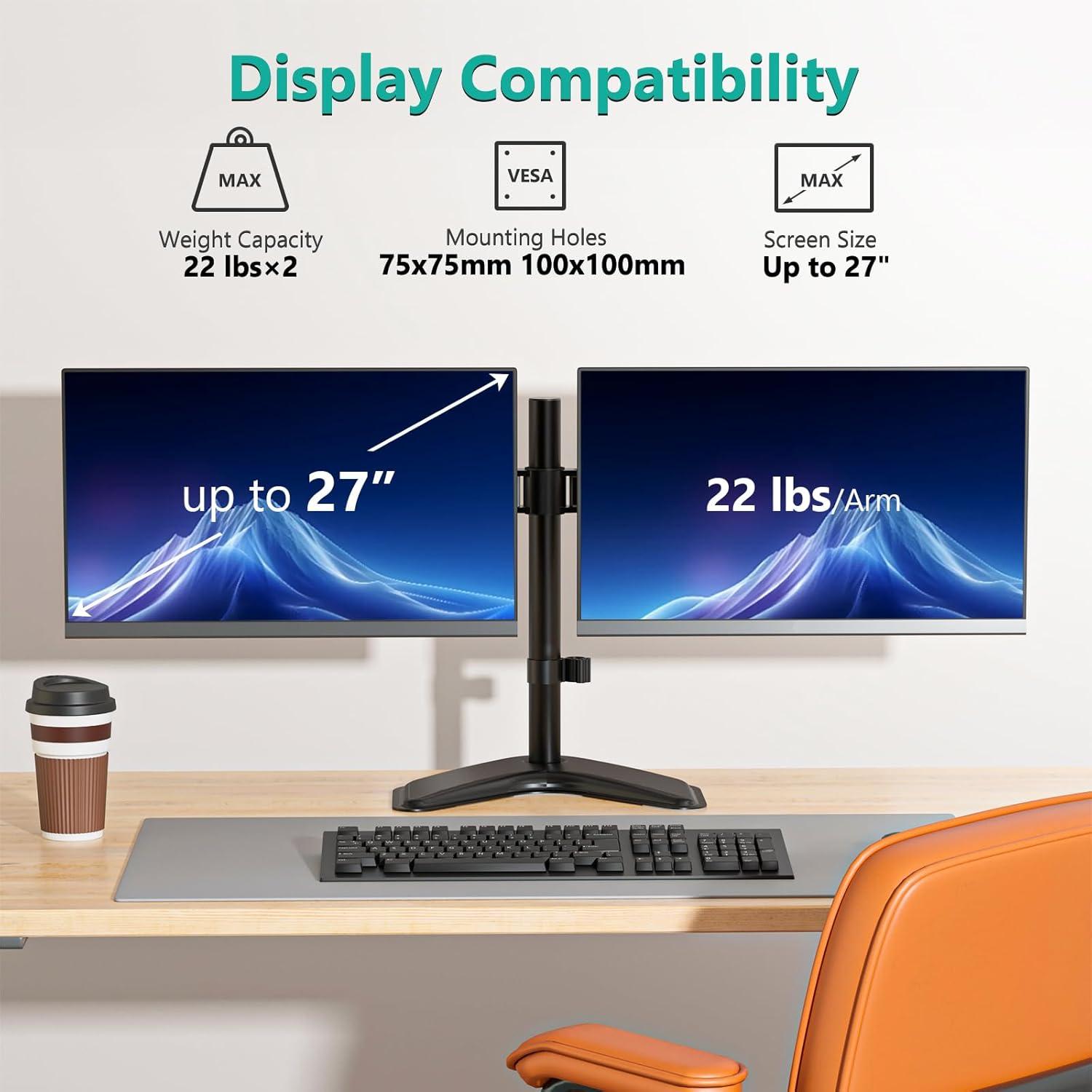
In terms of compatibility, the stand met our expectations well. It supports monitors up to 27 inches and 22 lbs per arm, fitting our 24-inch models perfectly with standard VESA mounting patterns of 75x75mm and 100x100mm. One important note: both monitors share the same height since the arms are fixed on a single vertical pole, which worked well for us but might limit custom height setups. The arms offer great flexibility, providing tilt, swivel, and full 360-degree rotation for portrait or landscape orientation, making it easy to find comfortable viewing angles. that said,caution is advised when extending the arms fully forward,as the center of gravity shifts – keeping monitors closer to the base increases stability substantially.
| Feature | Specification | Our Experience |
|---|---|---|
| Monitor Size Supported | Up to 27 inches | ideal for our 24-inch screens |
| Weight Capacity | Up to 22 lbs per arm | Handles 10-11 lbs monitors well |
| Mounting Pattern | 75x75mm & 100x100mm VESA | Perfect fit, no issues |
| Adjustment Type | Tilt ±90°, Swivel ±90°, Rotate 360° | Smooth, requires moderate force |
| Installation Time | ~30 minutes (solo) | Easy to follow, better with help |
- Quick and intuitive assembly with all parts provided
- Stable heavy base works well with balanced monitors
- Full-motion arms offer versatile positioning
- height adjustment moves monitors together, not independently
- Great compatibility with most mid-sized monitors
For those looking to free up desk space while maintaining ergonomic flexibility, this stand is an excellent choice. Ready to upgrade your setup? Check it out on Amazon now and transform your workspace today!
How the Stand Holds Up Under Daily Use and Weight Demands
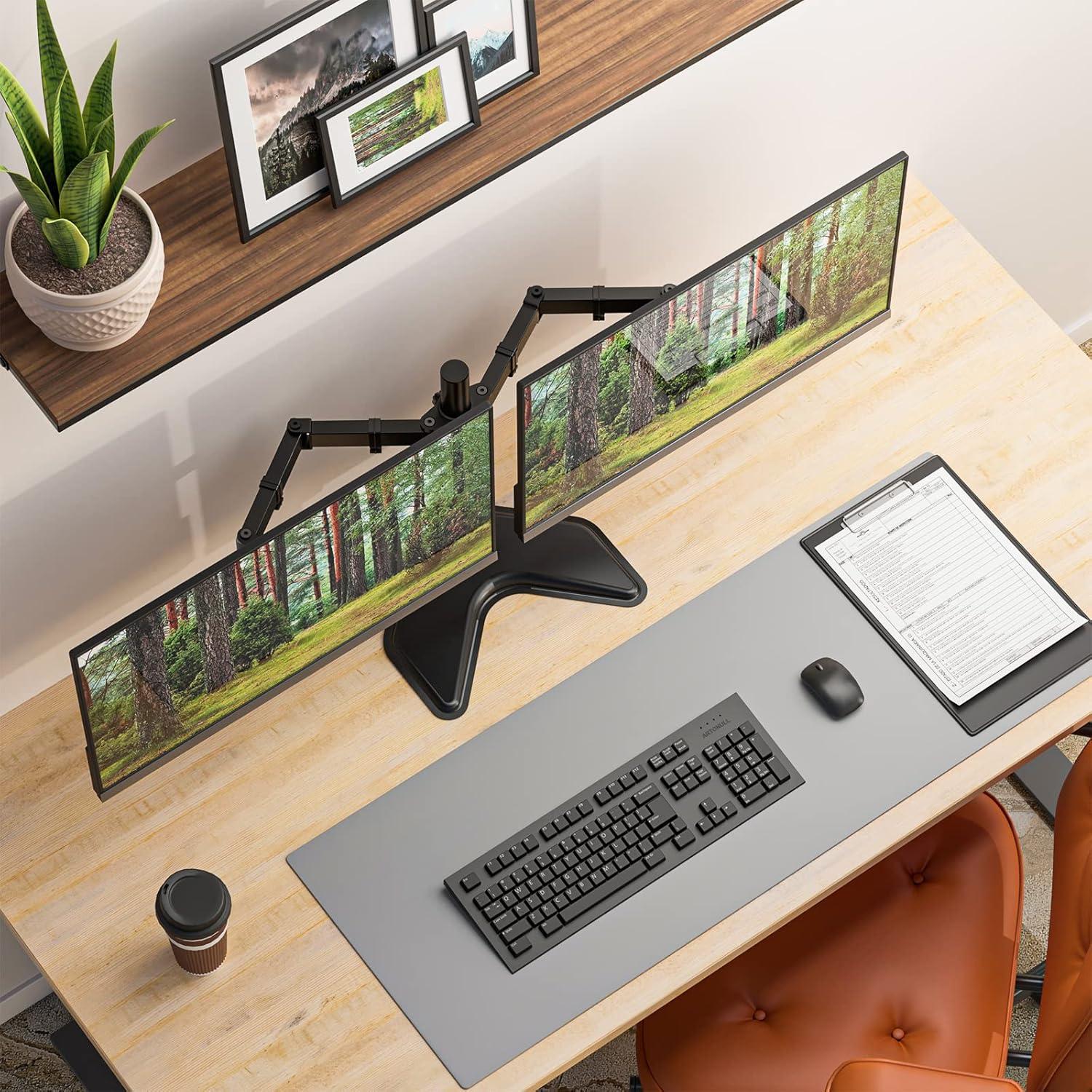
In our daily use, the stand impresses with its solid construction and stability when properly balanced. The heavy-duty base is a important factor in supporting monitors up to 22 lbs each,and while users must be mindful of weight distribution,the stand handles dual 24 to 27-inch screens with surprising confidence. Adjusting heights requires some effort due to the tight friction clamp design, but once set, the monitors maintain their positions without sagging or wobbling. The arms offer plenty of rotation options, including 360° swivel and ±90° tilt, which makes it a versatile choice for typical office setups that demand ergonomic flexibility without compromising sturdiness.
Assembly is straightforward and usually manageable solo, though having an extra pair of hands when mounting the monitors is highly recommended to prevent tipping. The stand’s durability shines through after extended use, notably in environments where desks can get crowded or cluttered. While not designed for extremely dynamic repositioning or overly heavy monitors beyond specifications, it offers excellent value with robust build quality, clean cable management, and enough adjustability to fine-tune viewing angles across work sessions. The key to maximizing stability lies in positioning monitors closer to the weighted base and balancing the load evenly; ignoring this can cause minor tipping issues.
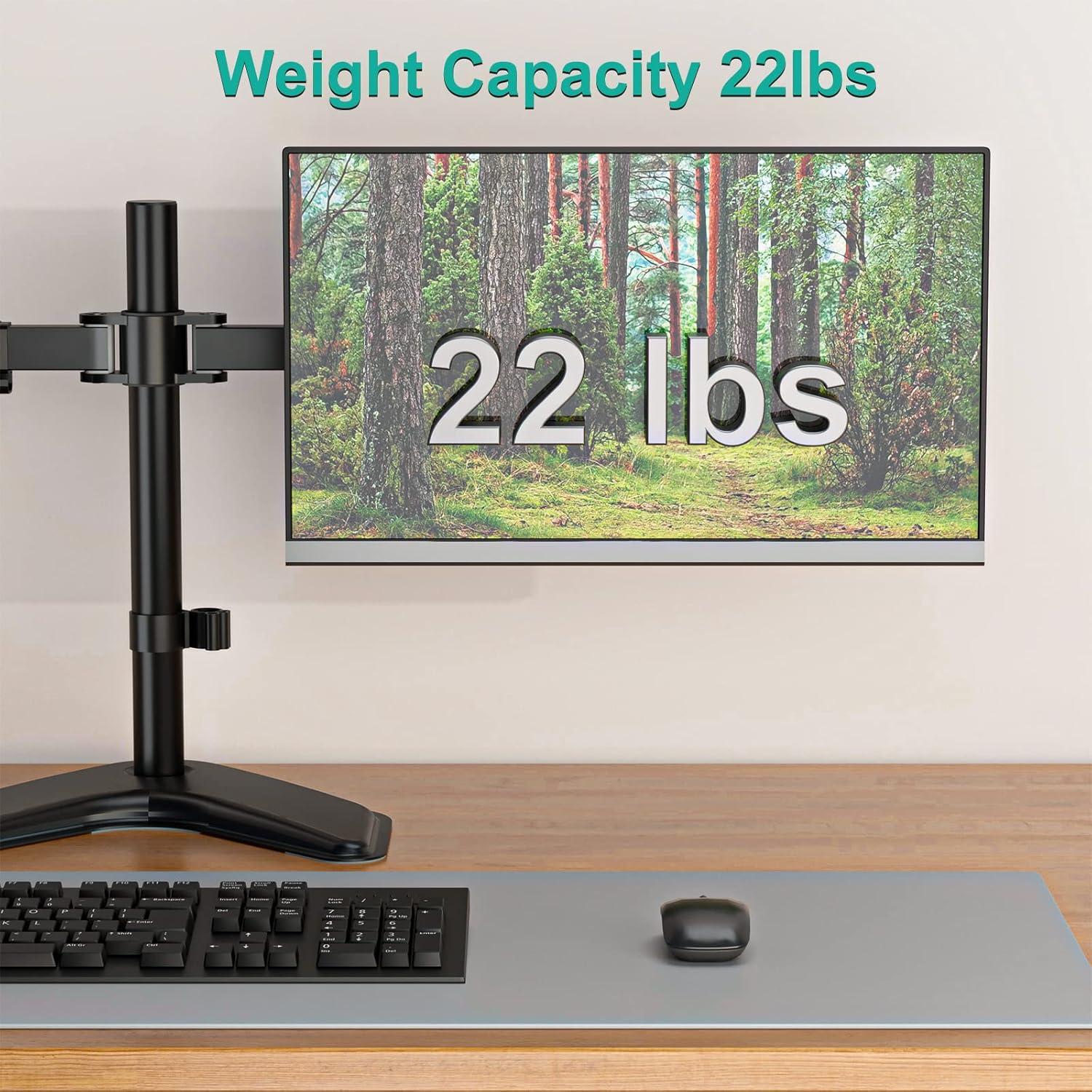
- Max Weight Capacity: 22 lbs per arm
- Monitor Size Compatibility: Up to 27 inches
- Adjustment Range: Height adjustable on 16″ pole, tilt ±90°, swivel 360°
- Base: Heavy-duty free-standing design for desk stability
| Feature | Performance |
|---|---|
| Assembly Time | ~30 minutes solo |
| Stability | Very stable if balanced well |
| Weight Handling | Supports up to 44 lbs total |
| Adjustment Ease | Tight friction clamp needs effort |
Check Latest Price and Availability
Cable Management Features That Keep Our Desk Organized

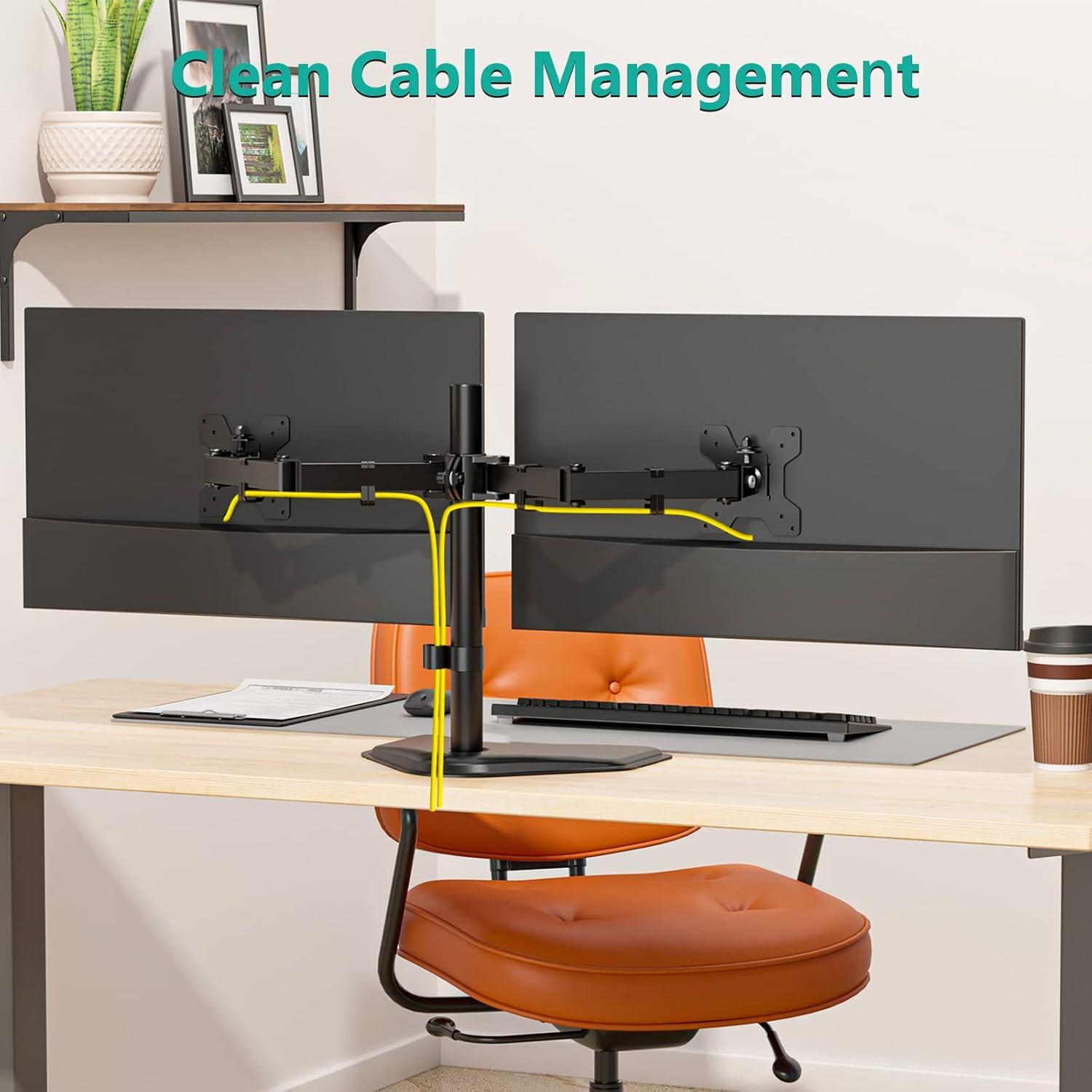
One of the standout qualities of this dual monitor stand is its integrated cable management system that truly helps keep our workspace tidy. Along the sturdy arms, we found thoughtfully designed clips that securely route power cords and HDMI cables, preventing them from dangling or cluttering the desk surface. This not onyl creates a cleaner visual aesthetic but also reduces the risk of cables tangling or being accidentally pulled during adjustments. The cable clips are easy to use and accommodate a variety of cable thicknesses,which made organizing everything straightforward and efficient.
alongside the cable clips, the freestanding V-shaped base offers ample space underneath for additional accessories or charging stations, further minimizing desk clutter. While the stand’s heavy-duty base ensures a solid grip on the desk,these cable management features maximize workspace usability by ensuring cables stay neatly out of sight. Here’s a quick overview of how the cable management enhances our workspace:
| feature | Benefit |
|---|---|
| Integrated Cable Clips | keep cords aligned along the arms to avoid tangling and clutter |
| Spacious Base Area | Allows placement of accessories without interfering with cables |
| Flexible Cable Routing | Supports multiple cable sizes, making setup adaptable |
By taking advantage of these features, we created a clean, ergonomic setup where our monitors float above a neat desk – making work sessions feel more productive. If you’re looking for an effective way to tame your cables and enjoy a clutter-free workspace, check it out here.
Comparing the WALI Stand to Other Dual Monitor Mounts We’ve Tried
After testing multiple dual monitor mounts over time, we find this model to offer a well-balanced blend of functionality and affordability. Unlike some pricey gas-spring arms with nearly infinite adjustability, this stand focuses on straightforward, reliable performance. Its heavy-duty freestanding base,while not the lightest,provides a surprisingly solid platform that frees our desks from clutter without requiring clamps or drilling. Assembly was simpler compared to bulkier counterparts,and the included cable management clips help keep everything neat. However, the adjustment mechanism is a double-edged sword: while tilt, swivel, and 360° rotation on each arm work smoothly, raising or lowering the monitors together on the central pole requires notable effort, especially with heavier setups.This tradeoff is understandable given the price,but it’s something we keep in mind when positioning our displays.
Comparing it with other stands we’ve tried, several factors stand out - sturdiness, ease of installation, and value for money.Some alternatives required complex desk mounting, which delivered enhanced stability but sacrificed portability and setup speed. Others offered more fluid arm movement but at a significantly higher cost and sometimes compromised build quality. Here,weight balance and placement are key: pushing arms too far forward can cause tipping,so we prefer keeping monitors centered above the weighted base. Both monitors must be at the same height with this unit,which limits customization and might not suit every multi-screen orientation preference. But for everyday use, especially if you want a clean, uncluttered workspace without breaking the bank, this stand checks most boxes.
| Feature | Our Experience | Compared to Others |
|---|---|---|
| Installation | Easy, 30 minutes solo setup | Faster than clamp-only models |
| Sturdiness | Solid weighted base, stable if balanced | Less stable than drilled mounts |
| Adjustability | Tilt, swivel, 360° rotation; height adjustment is stiff | Less fluid than gas-spring arms |
| Value | Excellent | More affordable than most dual arms with similar specs |
- Pros: Easy to assemble, frees up desk space, strong support for monitors up to 22 lbs
- Cons: Height adjustments require effort, both monitors share same height level, risk of tipping if arms extended too far
Who Should Consider the WALI Dual Monitor Stand for Their Setup
Who should consider this monitor stand? If you have a dual-monitor setup with screens up to 27 inches and weights up to 22 lbs each, this freestanding mount is an excellent choice. It’s especially suited for those seeking to reclaim desk space without complicated installations, as it offers both clamp and bolt mounting options-or simply stands freely with a weighted base. Its sturdy metal construction and classic black finish fit seamlessly into home offices, dorm rooms, small businesses, and even professional environments where ergonomics and clean workspace aesthetics matter.
This stand is ideal if you want a budget-kind, no-frills solution that provides solid support with a wide range of adjustments including height, tilt, swivel, and 360° rotation. While the arms move smoothly and help reduce neck and eye strain, keep in mind that both monitors will share the same height setting. Perfect for users who value simplicity without needing ultra-flexible, separate height adjustments for each monitor. It works best if you carefully balance your screens toward the center of the base to ensure stability and avoid tipping.
| Best For | Monitor Size | Weight Capacity | Adjustability | Setup Type |
|---|---|---|---|---|
| Home Office & Small Business | Up to 27″ | 22 lbs per arm | Height, tilt, swivel, 360° rotation | freestanding, clamp or bolt mount |
| Budget-Conscious Users | Up to 27″ | 22 lbs per arm | Basic ergonomic adjustments | Quick & Easy Assembly |
| Users Needing Desk Space | Up to 27″ | 22 lbs per arm | Moderate adjustability | Stable weighted base |
- Great for dual screen setups that want more desk clearance
- Users who prioritize sturdy, metal construction without complex assembly
- Those needing a stand versatile enough for various environments
Final Thoughts and Our Recommendations Based on Real Use
After testing this dual monitor stand extensively, we found it to be a practical and cost-effective solution to free up desk space and improve ergonomics. The metal construction feels solid, and the weighted base offers decent stability when the monitors are positioned carefully over the center. While the assembly is straightforward and can be done solo in about 30 minutes, we recommend having an extra pair of hands when mounting heavier monitors to avoid tipping. Adjustment-wise, the arms provide a good range of motion with tilt, swivel, and rotation, though raising or lowering the monitors can require some effort due to the friction clamp design. Users should be mindful that both screens share one height, which might limit creative monitor arrangements but keeps things uniform and balanced.
Key pros and Cons from our real-world experience:
- Pros: Sturdy metal build,good value for money,solid cable management,wide tilt and swivel range,frees up desk clutter effectively.
- Cons: Height adjustments require effort; stability depends on load balance; both monitors must be same height; very heavy base and mount can be awkward to handle solo.
| Feature | Performance | Our Notes |
|---|---|---|
| Ease of Assembly | 4.5 / 5 | Intuitive build with included tools; best with two people. |
| Stability | 4 / 5 | Stable when monitors balanced over base; avoid extreme arm extensions. |
| adjustment Range | 4 / 5 | Tilt, swivel, rotation solid; height adjustment requires strength. |
| compatibility | 5 / 5 | Fits most monitors up to 27″ and 22lbs with standard VESA mounts. |
| Value for Money | 5 / 5 | Excellent price point for quality and functionality offered. |
If you’re looking for an affordable way to organize your workspace, lift two monitors safely, and improve your viewing ergonomics without complicated installation or permanent desk modifications, this stand is definitely worth considering. For optimum use, balance the monitors carefully and adjust the tension screws so your screens remain secure but adjustable.
Check Latest Price & Reviews on Amazon
Pros & Cons
After spending some time with the WALI Dual monitor Stand, here’s our balanced take on what shines and what could use some advancement.We approached this review with real user feedback and hands-on experience to uncover how well it truly maximizes desk space.
| Pros | Cons |
|---|---|
| Easy Assembly: Most of us found the setup straightforward, with clear instructions and all necessary tools included. | weight & Balance: The stand is quite heavy and can tip forward if monitors aren’t properly balanced or positioned close to the base. |
| Solid Build Quality: The all-metal construction feels sturdy and durable, giving us confidence in long-term use. | Single Height Adjustment: Both monitors share the same height level,limiting flexibility for asymmetric setups. |
| Functional Adjustability: Arms offer tilt,swivel,and 360° rotation – enough movement to customize comfortable viewing angles. | Adjustment Effort: Raising or lowering monitors can require considerable force, especially while mounted with screens on. |
| Desk Space Maximization: Frees up a heavy chunk of desk real estate, creating a clean, uncluttered workstation instantly. | Mixed Stability Reports: Stability varies depending on setup-some users report wobble or tipping if extended incorrectly. |
| Good Value: For the price point,it offers functionality and build quality comparable to pricier competitors. | Monitor Compatibility: May not fit all monitor models perfectly due to recessed VESA patterns or size differences. |
the WALI Dual Monitor Stand strikes a solid balance between cost, build, and performance. It’s a practical solution that really does unclutter our desks and support two monitors with relative ease. Just keep in mind the need for thoughtful setup and monitor pairing to keep things steady and comfortable. For many of us, that trade-off feels worth it.
Reveal the Extraordinary
As we wrap up our review of the WALI Dual Monitor Stand, it’s clear that this mount offers a practical and budget-friendly solution for anyone looking to reclaim valuable desk space. While it may not boast the ultra-smooth adjustments of high-end models, its sturdy construction and straightforward setup make it a dependable choice for holding dual monitors up to 27 inches. Just remember,balance is key to maximizing its stability and functionality-once set up right,it transforms your workspace into a clean,ergonomic hub that helps reduce strain and boost productivity.
If you’re ready to elevate your desk setup without breaking the bank, the WALI Dual Monitor Stand is definitely worth considering. Curious to see how it fits your space and workflow?
Check it out here: WALI Dual Monitor Stand on Amazon